

Download Tab Kit – Firefox tab manager, free, customizable
Overview
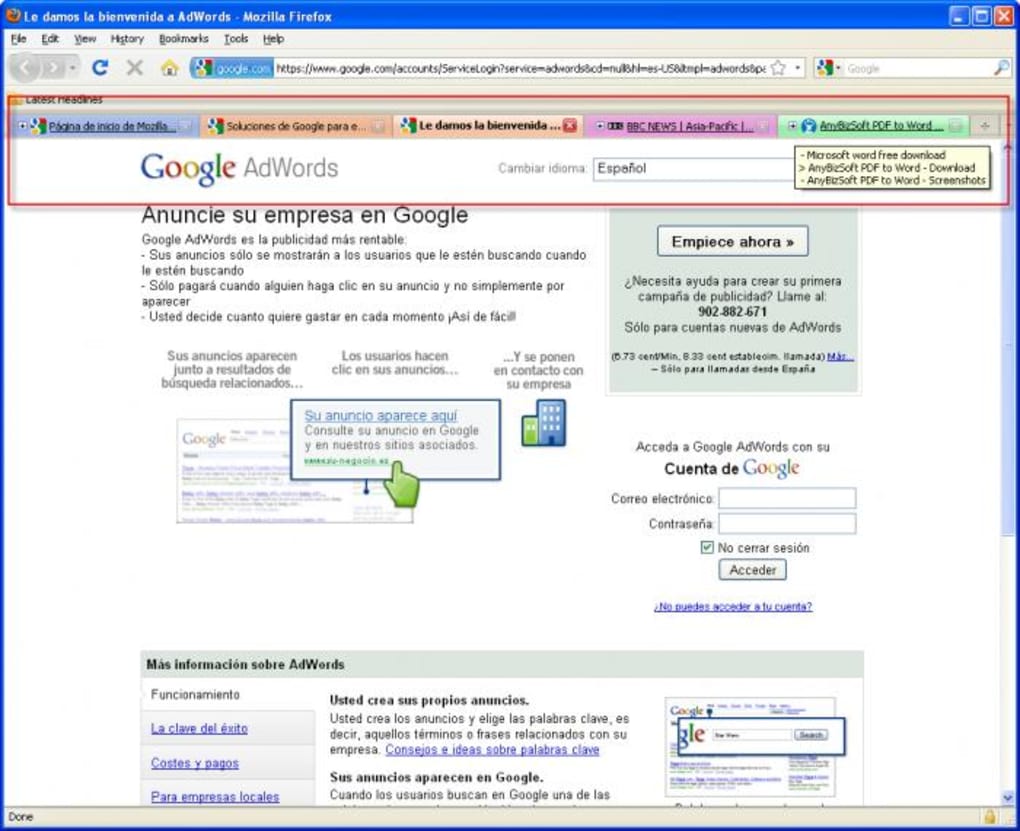
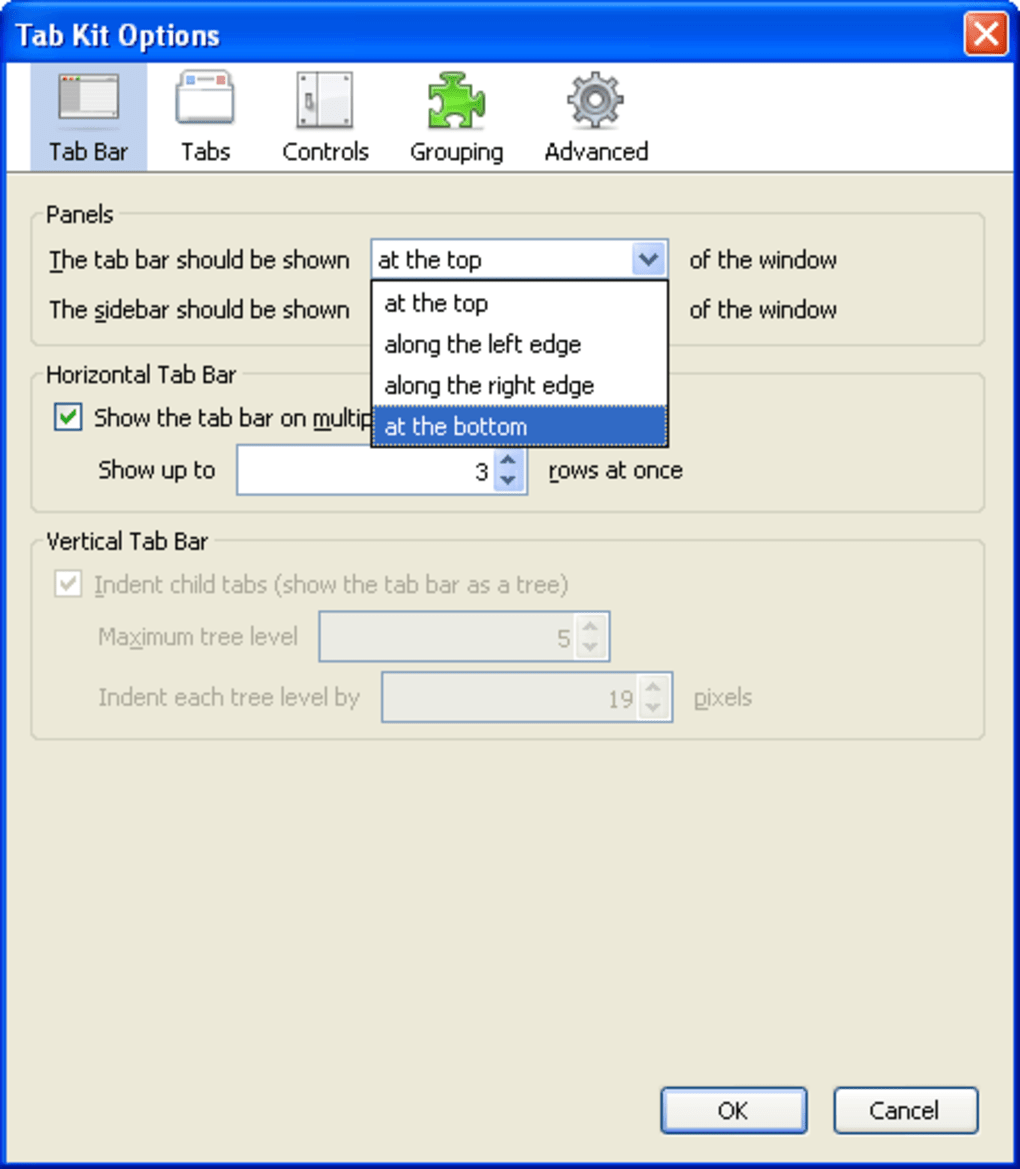
Tab Kit is a powerful Firefox add‑on built for users who spend a lot of time juggling dozens of web pages. If you’ve ever felt your browser window turning into a chaotic sea of tabs, Tab Kit offers a clean, visual way to keep everything under control. The extension lets you move the tab bar to any edge of the browser, display tabs in multiple rows, and apply a full set of visual tweaks—size, colour saturation, and theme compatibility—so the tab strip blends seamlessly with your preferred Firefox theme.
Beyond aesthetics, Tab Kit introduces sophisticated grouping, automatic collapsing of inactive groups, and protection against accidental closures. You can also mark tabs as “unread,” duplicate them with a single click, and sort them by criteria such as last viewed, last loaded, or page title. Whether you’re a casual surfer who opens a handful of sites or a power user with hundreds of tabs, Tab Kit adapts to your workflow.
Its extensive configuration options may feel overwhelming at first, but the learning curve is softened by intuitive right‑click menus and a dedicated options page. For anyone who wants a more organized, efficient browsing experience without sacrificing the flexibility that Firefox is known for, Tab Kit is a serious contender in the tab‑management arena.
Key Features & Benefits
- Edge‑placement flexibility – move the tab bar to the top, bottom, left, or right of the window.
- Multi‑row horizontal layout – keep tabs tidy when you have more than can fit in a single line.
- Full visual customization – adjust tab size, colour saturation, and theme compatibility.
- Group creation & auto‑collapse – cluster related tabs and hide inactive groups to save space.
- Protection & duplicate controls – lock important tabs against closure and duplicate them instantly.
- Unread marker – flag tabs you haven’t read yet, perfect for research sessions.
- Advanced sorting – order tabs by last viewed, last loaded, page title, or custom criteria.
- Context‑menu shortcuts – right‑click any tab for quick actions without opening the options page.
- Theme‑aware design – integrates smoothly with any Firefox theme you have installed.
- Lightweight performance – optimized to avoid slowing down Firefox even with many tabs.
Pros
- Highly customizable interface that matches personal workflow.
- Excellent for heavy tab users; groups and auto‑collapse dramatically reduce visual clutter.
- Seamless integration with Firefox themes and UI.
- Free and regularly updated by the developer.
- Intuitive right‑click menus speed up everyday tab actions.
Cons
- Extensive options can be overwhelming for beginners.
- Some advanced features (like complex sorting) may require a short learning period.
- Only available for Firefox; no Chrome or Edge version.
Installation, Usage & Compatibility
Installation Steps
Getting Tab Kit up and running is straightforward. Open Firefox and navigate to the official Mozilla Add‑ons page for Tab Kit. Click the “Add to Firefox” button, confirm any permission prompts, and the add‑on will download and install automatically. Once installed, you’ll see a new Tab Kit icon next to the address bar. Clicking the icon opens the main configuration panel where you can start tweaking the layout, appearance, and behavior of your tabs.
How to Use Tab Kit Effectively
After installation, explore the options menu by right‑clicking any tab or selecting the Tab Kit icon. Begin by choosing where you’d like the tab bar to sit—top, bottom, left, or right—depending on your screen real‑estate and personal preference. If you often have many tabs open, enable the multi‑row layout and set a comfortable tab height and width.
Next, experiment with grouping: select a set of related tabs, right‑click, and choose “Create Group.” You can rename groups, set them to auto‑collapse when inactive, and even lock groups to avoid accidental closure. For quick navigation, enable the “Unread” marker on tabs you intend to revisit later; they will display a subtle badge until you open them. Use the sorting options under the Tab Kit menu to reorder tabs by last viewed or page title—this is especially handy during research projects where you need to keep track of sources.
Compatibility
Tab Kit works with any operating system that supports the latest version of Firefox, including Windows 10/11, macOS Monterey and later, Linux distributions, and Firefox for Android (though the Android version has limited UI options). The add‑on requires Firefox 78 or newer, which ensures you benefit from the most recent security patches and performance improvements. Because Tab Kit is a native Firefox extension, it inherits the browser’s sandboxing and privacy protections, making it a secure choice for users concerned about data leakage.
Frequently Asked Questions
Is Tab Kit free or does it require a paid license?
Tab Kit is completely free to download and use. The developer offers regular updates at no cost, and there are no hidden subscription fees.
Can I sync my Tab Kit settings across multiple devices?
Yes. Tab Kit stores its configuration in Firefox’s profile data, which is synchronized through Firefox Sync. As long as you are signed into the same Firefox account on each device, your tab‑management preferences will follow you.
Does Tab Kit affect browser performance?
Tab Kit is built to be lightweight. Even with hundreds of tabs open, users report minimal impact on memory usage and page‑load speed. The add‑on only manipulates the UI layer, leaving core rendering untouched.
Can I protect specific tabs from being closed accidentally?
Absolutely. Right‑click a tab and select “Lock Tab.” Locked tabs display a small padlock icon and cannot be closed unless you unlock them first.
Is Tab Kit compatible with Firefox Quantum?
Yes. Tab Kit was designed for Firefox Quantum (version 57+) and takes advantage of the modern add‑on API, ensuring stability and compatibility with the latest browser releases.
Conclusion & Call to Action
For anyone who finds themselves drowning in a sea of open tabs, Tab Kit provides a tidy, feature‑rich lifebuoy. Its ability to reposition the tab bar, create collapsible groups, and apply granular visual tweaks makes it a standout choice for heavy Firefox users. While the sheer number of options can feel daunting at first, a quick tour of the right‑click menu and options panel unlocks a level of control that most built‑in tab managers simply cannot match. If you value a clean browsing environment, need to protect critical tabs, or simply want to boost productivity by keeping your workspace organized, Tab Kit is worth the download.
Ready to experience a calmer, more efficient browsing session? Download Tab Kit now and start customizing your Firefox tabs today.
Pros: Customizable layout, powerful grouping, free, lightweight.
Cons: Learning curve for beginners, Firefox‑only.







